2024
PG Design System 2.0
Rebuilt a fragmented Adobe XD library into a versatile and consistent Design System in Figma, enhanced with variables and a proprietary mockup composition framework to ensure scalability and flexibility across projects.
Design System
Developement
Know More
Redesigned and migrated from Adobe XD to Figma, using variables and scalable components.
Next level of multi-purpose visual system for Politechnika Gdańska
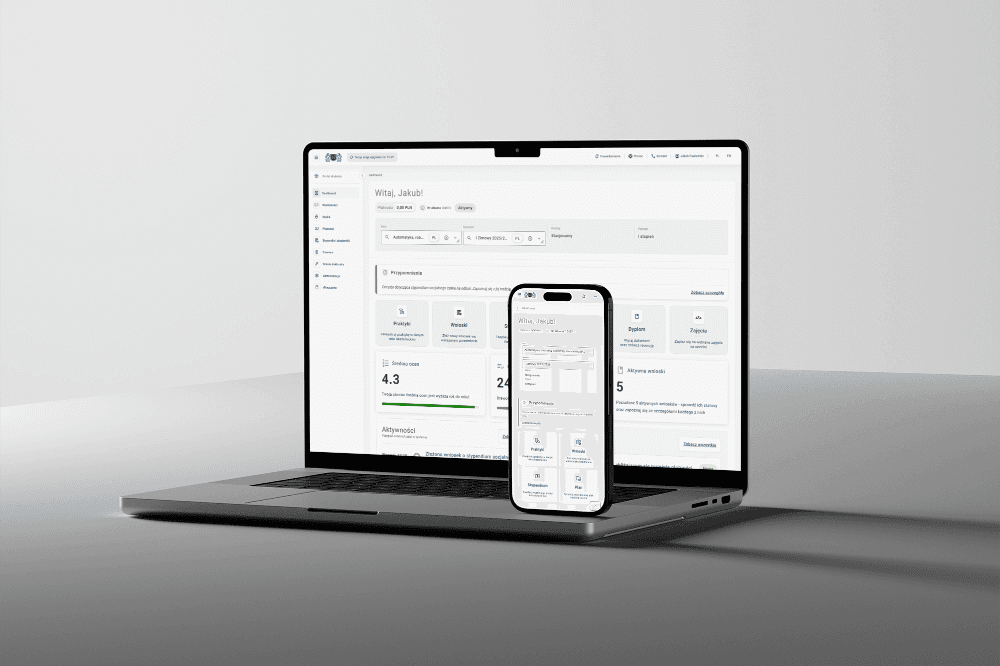
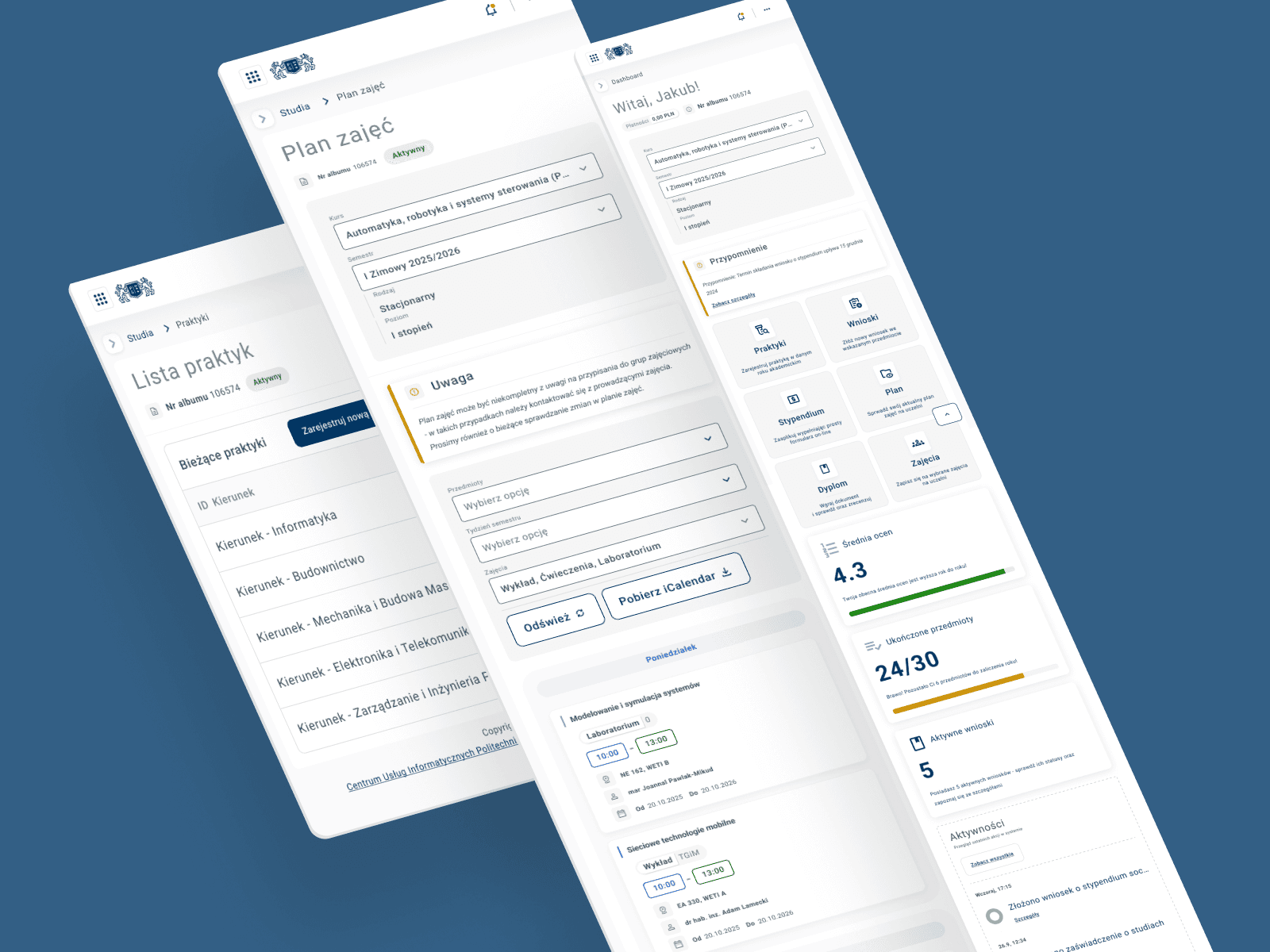
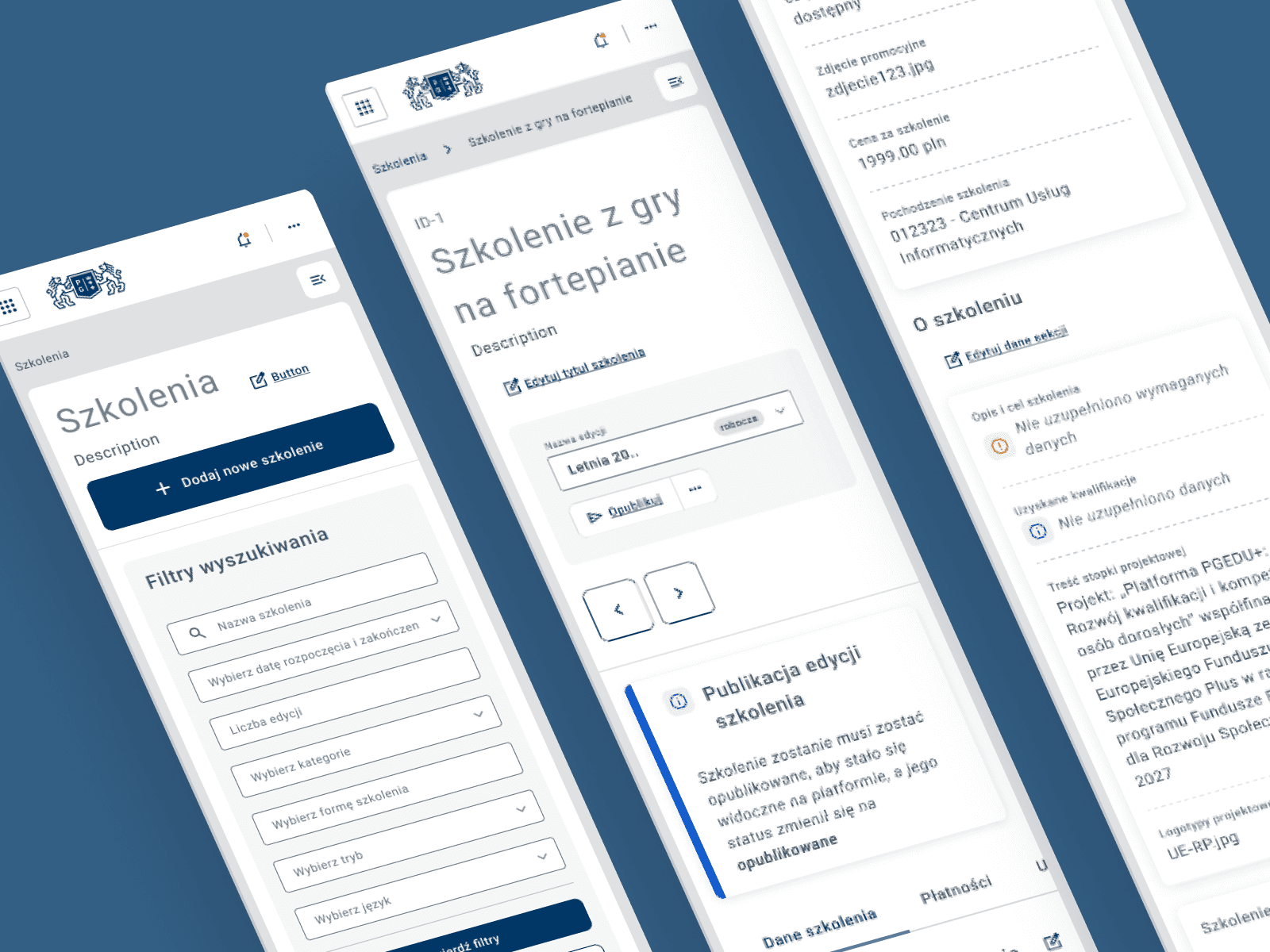
MojaPG - this project focuses on reconfiguring a design system originally built in Adobe XD and transferring it to Figma. The goal is to enhance the design system by incorporating variations and variables while creating a highly structured and configurable super component, the CONTENT. This is the main configurable organism on which all screens are built. It consists of four component areas - COMPONENTS, which is the basis for each subsequent - Tables, Form and Card.
This components streamline page building for designers, ensuring consistency and accuracy between applications. It is used to build entire pages with prepared structure and options for each designer and thanks to this avoids mistakenly applying gap values between elements, keeps perfect consistency and ready for dev mockups generated on dev guidelines and arrangements.
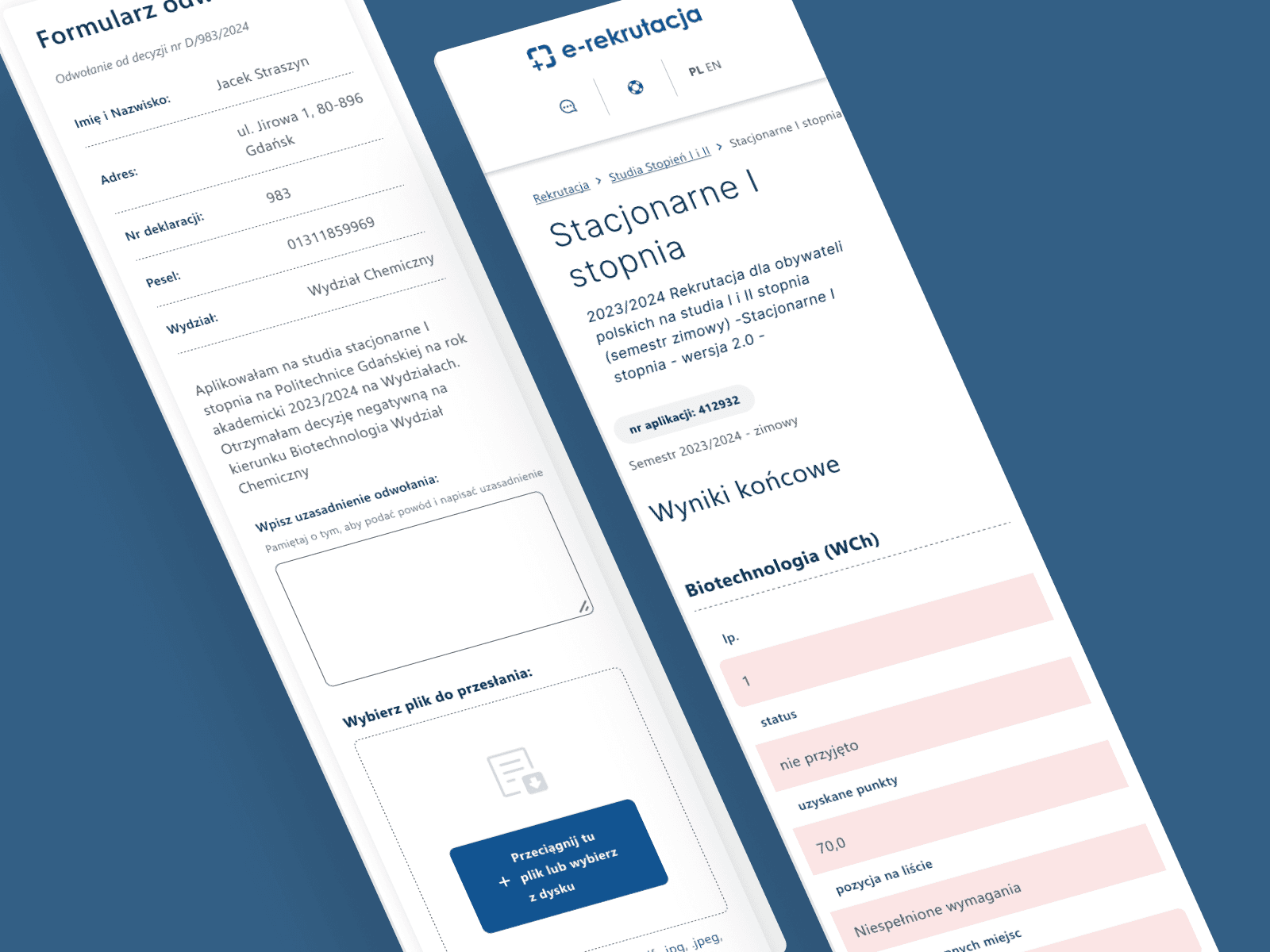
Breakpoints have been created to define the behaviour of the prototypes depending on the screen resolution. Each is therefore responsive, thanks to the option to view responsive prototypes in Figma.


Problem
The polytechnic's digital environment was fragmented across multiple platforms, creating inefficiencies and inconsistent user experiences for students, lecturers, and staff.
The system relied on a discontinued Adobe XD environment, and every application looked different due to the absence of a unified design system. The process of implementation and maintenance was fragmented and slow, with no shared boundaries, standards, or replicable elements to support scalability. Many applications were developed directly by engineers without a design-led approach, which led to inconsistent interfaces, extended timelines, and increased maintenance costs.
Solution
Move to Figma and rethink the fundamentals.
After migrating all components to Figma and refactoring them using variants, variables, and responsive breakpoints, I began defining interaction logic and establishing a consistent atomic design framework. I implemented scalable slot structures that aggregate atomic elements and enforce strict governance for headers, content containers, and navigation patterns. This ensured every layout became fully configurable, deterministic, and free of visual or structural inconsistencies. Core design-system standards were encapsulated into modular configuration schemas that define component use cases, information architecture, semantic hierarchy, and content ordering within containers.
Additionally, incorporating FigJam into the design workflow for ideation, requirements validation, and UX workshop auditing—supported by rapid Lo-Fi mockups generated in Figma Make—accelerated both the production process and decision-making, enabled by faster delivery of visual screens. An example of a workshop-driven approach supported by generative Lo-Fi mockups.
Profit
Scalable & ultra consistent environment
The main advantage was a seamless transition from the Adobe XD environment to Figma, along with a complete reconstruction of the information logic to streamline the implementation workflow and achieve hyper-consistency across the numerous systems operating at Gdańsk University of Technology. The DS PG 2.0 visual system is fully scalable and responsive, built on a variable-driven library that significantly reduced variant complexity while enabling smooth handling of multiple visual modes derived from a single component architecture. This ensures rapid support for diverse visual identities, brands, and design styles.
There was also a significant reduction in the total number of components and their variants due to the adoption of an extended, variable-driven architecture in Figma.
Additionally, the reconstruction based on breakpoint variable modes and fully responsive components enabled seamless HTML export of the projects via Figma Site. This significantly accelerated the handoff of design specifications to the development teams and made it possible to directly integrate service endpoints within the project environment. Here's an example of HTML dashboard project.
4
brands
Modes offer scalabilty
Thanks to variable modes, ad-hoc transitions and rapid creation of new visual variants are fully supported. Each component can expose its own visual variant with a customizable level of complexity, tailored to a specific brand. Creating WCAG-compliant visual variants or accessibility-focused modes for users with disabilities becomes exceptionally straightforward.
Full
responsive
New breakpoint feauters in Figma
Thanks to the compression of component variants and the implementation of an advanced auto-layout system within each component—combined with variable modes configured across multiple breakpoints—every prototype becomes fully responsive by design. This makes the system perfectly suited for Figma Make as well as AI-driven MCP workflows in combination with Cursor/MVSC.
Launch
I am presenting the key projects delivered using DS PG 2.0 across multiple domains, incorporating responsive-design requirements where necessary, as well as WCAG guidelines and dedicated visual modes.
Componenets 1.1
Desktop
A foundational component set defined through variables and structured according to a fully organized Atomic Design architecture.
Source file
Form 1.1
Desktop
A set of components built on the base INPUT object from the foundational library, structured for breakpoint-aware responsiveness.
Source file
Card 1.1
Desktop
Mobile
A configurable, high-level content-container supercomponent equipped with an extensive set of features and interaction capabilities.
Source file
Table 1.1
Desktop
Mobile
A set of table components forming a complete column- and row-based table organism, built from foundational atomic elements.
Source file
CONTENT 1.1
Desktop
Mobile
A final-stage supercomponent that aggregates all preceding structural layers, serving as the core prototype container and providing full breakpoint support across the entire system.
Source file
Umowy
Desktop
Mobile
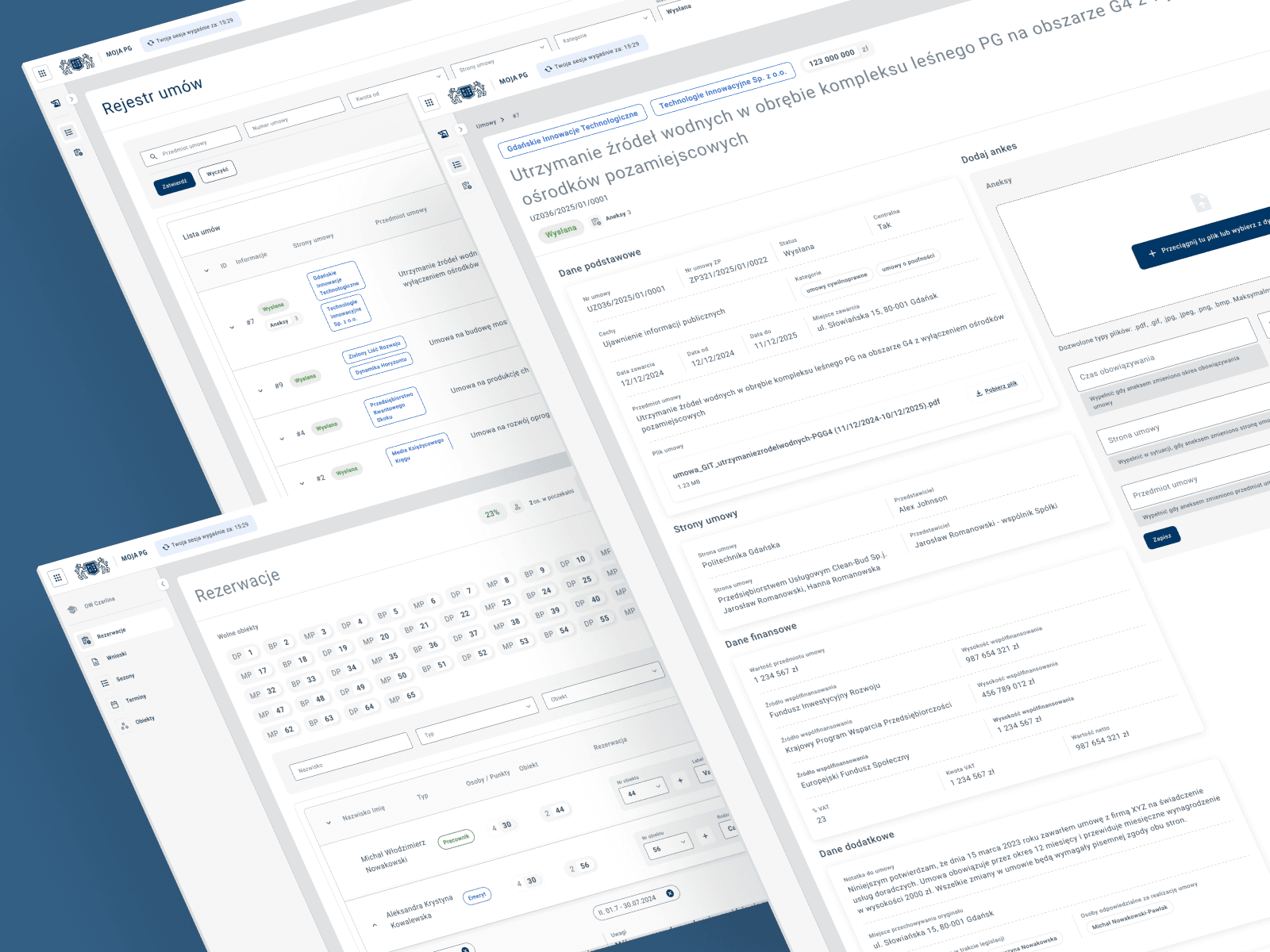
A comprehensive registration, storage, and digital contract–editing system designed to manage the complete document workflow across the entire PG.
Prototype
Team & Tools
My team
The teams I worked with were responsible for four separate projects carried out within Gdańsk University of Technology. Each project operated under its own methodology and maturity level, yet all were unified by the implementation of the new Design System in various visual configurations and information-architecture models. My role alternated between design lead and product designer, depending on the team’s competency structure and the specific requirements of each project.
Tools I used
Figma – source files, prototyping, and developer handoff
Figma AI – copywriting refinements and image editing
FigJam – ideation workshops and materials gathering
Jira – backlog, epics, and issue tracking
Confluence – documentation and knowledge sharing
ChatGPT – analysis support for consistency across processes and requirements
Figma Make – lo-fi mockups and ideation
Figma Site – responsive prototypes and dev kickoffs
Figma MCP Server & MS Visual Studio Code - advanced HTML prototypes and Design System HTML mockups
2024
PG Design System 2.0
Rebuilt a fragmented Adobe XD library into a versatile and consistent Design System in Figma, enhanced with variables and a proprietary mockup composition framework to ensure scalability and flexibility across projects.
Design System
Developement
Know More
Redesigned and migrated from Adobe XD to Figma, using variables and scalable components.
Next level of multi-purpose visual system for Politechnika Gdańska
MojaPG - this project focuses on reconfiguring a design system originally built in Adobe XD and transferring it to Figma. The goal is to enhance the design system by incorporating variations and variables while creating a highly structured and configurable super component, the CONTENT. This is the main configurable organism on which all screens are built. It consists of four component areas - COMPONENTS, which is the basis for each subsequent - Tables, Form and Card.
This components streamline page building for designers, ensuring consistency and accuracy between applications. It is used to build entire pages with prepared structure and options for each designer and thanks to this avoids mistakenly applying gap values between elements, keeps perfect consistency and ready for dev mockups generated on dev guidelines and arrangements.
Breakpoints have been created to define the behaviour of the prototypes depending on the screen resolution. Each is therefore responsive, thanks to the option to view responsive prototypes in Figma.
Problem
The polytechnic's digital environment was fragmented across multiple platforms, creating inefficiencies and inconsistent user experiences for students, lecturers, and staff.
The system relied on a discontinued Adobe XD environment, and every application looked different due to the absence of a unified design system. The process of implementation and maintenance was fragmented and slow, with no shared boundaries, standards, or replicable elements to support scalability. Many applications were developed directly by engineers without a design-led approach, which led to inconsistent interfaces, extended timelines, and increased maintenance costs.
Solution
Move to Figma and rethink the fundamentals.
After migrating all components to Figma and refactoring them using variants, variables, and responsive breakpoints, I began defining interaction logic and establishing a consistent atomic design framework. I implemented scalable slot structures that aggregate atomic elements and enforce strict governance for headers, content containers, and navigation patterns. This ensured every layout became fully configurable, deterministic, and free of visual or structural inconsistencies. Core design-system standards were encapsulated into modular configuration schemas that define component use cases, information architecture, semantic hierarchy, and content ordering within containers.
Additionally, incorporating FigJam into the design workflow for ideation, requirements validation, and UX workshop auditing—supported by rapid Lo-Fi mockups generated in Figma Make—accelerated both the production process and decision-making, enabled by faster delivery of visual screens. An example of a workshop-driven approach supported by generative Lo-Fi mockups.
Profit
Scalable & ultra consistent environment
The main advantage was a seamless transition from the Adobe XD environment to Figma, along with a complete reconstruction of the information logic to streamline the implementation workflow and achieve hyper-consistency across the numerous systems operating at Gdańsk University of Technology. The DS PG 2.0 visual system is fully scalable and responsive, built on a variable-driven library that significantly reduced variant complexity while enabling smooth handling of multiple visual modes derived from a single component architecture. This ensures rapid support for diverse visual identities, brands, and design styles.
There was also a significant reduction in the total number of components and their variants due to the adoption of an extended, variable-driven architecture in Figma.
Additionally, the reconstruction based on breakpoint variable modes and fully responsive components enabled seamless HTML export of the projects via Figma Site. This significantly accelerated the handoff of design specifications to the development teams and made it possible to directly integrate service endpoints within the project environment. Here's an example of HTML dashboard project.
4
brands
Modes offer scalabilty
Thanks to variable modes, ad-hoc transitions and rapid creation of new visual variants are fully supported. Each component can expose its own visual variant with a customizable level of complexity, tailored to a specific brand. Creating WCAG-compliant visual variants or accessibility-focused modes for users with disabilities becomes exceptionally straightforward.
Full
responsive
New breakpoint feauters in Figma
Thanks to the compression of component variants and the implementation of an advanced auto-layout system within each component—combined with variable modes configured across multiple breakpoints—every prototype becomes fully responsive by design. This makes the system perfectly suited for Figma Make as well as AI-driven MCP workflows in combination with Cursor/MVSC.
Launch
I am presenting the key projects delivered using DS PG 2.0 across multiple domains, incorporating responsive-design requirements where necessary, as well as WCAG guidelines and dedicated visual modes.
Componenets 1.1
Desktop
A foundational component set defined through variables and structured according to a fully organized Atomic Design architecture.
Source file
Form 1.1
Desktop
A set of components built on the base INPUT object from the foundational library, structured for breakpoint-aware responsiveness.
Source file
Card 1.1
Desktop
Mobile
A configurable, high-level content-container supercomponent equipped with an extensive set of features and interaction capabilities.
Source file
Table 1.1
Desktop
Mobile
A set of table components forming a complete column- and row-based table organism, built from foundational atomic elements.
Source file
CONTENT 1.1
Desktop
Mobile
A final-stage supercomponent that aggregates all preceding structural layers, serving as the core prototype container and providing full breakpoint support across the entire system.
Source file
Umowy
Desktop
Mobile
A comprehensive registration, storage, and digital contract–editing system designed to manage the complete document workflow across the entire PG.
Prototype
Team & Tools
My team
The teams I worked with were responsible for four separate projects carried out within Gdańsk University of Technology. Each project operated under its own methodology and maturity level, yet all were unified by the implementation of the new Design System in various visual configurations and information-architecture models. My role alternated between design lead and product designer, depending on the team’s competency structure and the specific requirements of each project.
Tools I used
Figma – source files, prototyping, and developer handoff
Figma AI – copywriting refinements and image editing
FigJam – ideation workshops and materials gathering
Jira – backlog, epics, and issue tracking
Confluence – documentation and knowledge sharing
ChatGPT – analysis support for consistency across processes and requirements
Figma Make – lo-fi mockups and ideation
Figma Site – responsive prototypes and dev kickoffs
Figma MCP Server & MS Visual Studio Code - advanced HTML prototypes and Design System HTML mockups
2024
PG Design System 2.0
Rebuilt a fragmented Adobe XD library into a versatile and consistent Design System in Figma, enhanced with variables and a proprietary mockup composition framework to ensure scalability and flexibility across projects.
Design System
Developement
Know More
Redesigned and migrated from Adobe XD to Figma, using variables and scalable components.
Next level of multi-purpose visual system for Politechnika Gdańska
MojaPG - this project focuses on reconfiguring a design system originally built in Adobe XD and transferring it to Figma. The goal is to enhance the design system by incorporating variations and variables while creating a highly structured and configurable super component, the CONTENT. This is the main configurable organism on which all screens are built. It consists of four component areas - COMPONENTS, which is the basis for each subsequent - Tables, Form and Card.
This components streamline page building for designers, ensuring consistency and accuracy between applications. It is used to build entire pages with prepared structure and options for each designer and thanks to this avoids mistakenly applying gap values between elements, keeps perfect consistency and ready for dev mockups generated on dev guidelines and arrangements.
Breakpoints have been created to define the behaviour of the prototypes depending on the screen resolution. Each is therefore responsive, thanks to the option to view responsive prototypes in Figma.
Problem
The polytechnic's digital environment was fragmented across multiple platforms, creating inefficiencies and inconsistent user experiences for students, lecturers, and staff.
The system relied on a discontinued Adobe XD environment, and every application looked different due to the absence of a unified design system. The process of implementation and maintenance was fragmented and slow, with no shared boundaries, standards, or replicable elements to support scalability. Many applications were developed directly by engineers without a design-led approach, which led to inconsistent interfaces, extended timelines, and increased maintenance costs.
Solution
Move to Figma and rethink the fundamentals.
After migrating all components to Figma and refactoring them using variants, variables, and responsive breakpoints, I began defining interaction logic and establishing a consistent atomic design framework. I implemented scalable slot structures that aggregate atomic elements and enforce strict governance for headers, content containers, and navigation patterns. This ensured every layout became fully configurable, deterministic, and free of visual or structural inconsistencies. Core design-system standards were encapsulated into modular configuration schemas that define component use cases, information architecture, semantic hierarchy, and content ordering within containers.
Additionally, incorporating FigJam into the design workflow for ideation, requirements validation, and UX workshop auditing—supported by rapid Lo-Fi mockups generated in Figma Make—accelerated both the production process and decision-making, enabled by faster delivery of visual screens. An example of a workshop-driven approach supported by generative Lo-Fi mockups.
Profit
Scalable & ultra consistent environment
The main advantage was a seamless transition from the Adobe XD environment to Figma, along with a complete reconstruction of the information logic to streamline the implementation workflow and achieve hyper-consistency across the numerous systems operating at Gdańsk University of Technology. The DS PG 2.0 visual system is fully scalable and responsive, built on a variable-driven library that significantly reduced variant complexity while enabling smooth handling of multiple visual modes derived from a single component architecture. This ensures rapid support for diverse visual identities, brands, and design styles.
There was also a significant reduction in the total number of components and their variants due to the adoption of an extended, variable-driven architecture in Figma.
Additionally, the reconstruction based on breakpoint variable modes and fully responsive components enabled seamless HTML export of the projects via Figma Site. This significantly accelerated the handoff of design specifications to the development teams and made it possible to directly integrate service endpoints within the project environment. Here's an example of HTML dashboard project.
4
brands
Modes offer scalabilty
Thanks to variable modes, ad-hoc transitions and rapid creation of new visual variants are fully supported. Each component can expose its own visual variant with a customizable level of complexity, tailored to a specific brand. Creating WCAG-compliant visual variants or accessibility-focused modes for users with disabilities becomes exceptionally straightforward.
Full
responsive
New breakpoint feauters in Figma
Thanks to the compression of component variants and the implementation of an advanced auto-layout system within each component—combined with variable modes configured across multiple breakpoints—every prototype becomes fully responsive by design. This makes the system perfectly suited for Figma Make as well as AI-driven MCP workflows in combination with Cursor/MVSC.
Launch
I am presenting the key projects delivered using DS PG 2.0 across multiple domains, incorporating responsive-design requirements where necessary, as well as WCAG guidelines and dedicated visual modes.
Componenets 1.1
Desktop
A foundational component set defined through variables and structured according to a fully organized Atomic Design architecture.
Source file
Form 1.1
Desktop
A set of components built on the base INPUT object from the foundational library, structured for breakpoint-aware responsiveness.
Source file
Card 1.1
Desktop
Mobile
A configurable, high-level content-container supercomponent equipped with an extensive set of features and interaction capabilities.
Source file
Table 1.1
Desktop
Mobile
A set of table components forming a complete column- and row-based table organism, built from foundational atomic elements.
Source file
CONTENT 1.1
Desktop
Mobile
A final-stage supercomponent that aggregates all preceding structural layers, serving as the core prototype container and providing full breakpoint support across the entire system.
Source file
Umowy
Desktop
Mobile
A comprehensive registration, storage, and digital contract–editing system designed to manage the complete document workflow across the entire PG.
Prototype
Team & Tools
My team
The teams I worked with were responsible for four separate projects carried out within Gdańsk University of Technology. Each project operated under its own methodology and maturity level, yet all were unified by the implementation of the new Design System in various visual configurations and information-architecture models. My role alternated between design lead and product designer, depending on the team’s competency structure and the specific requirements of each project.
Tools I used
Figma – source files, prototyping, and developer handoff
Figma AI – copywriting refinements and image editing
FigJam – ideation workshops and materials gathering
Jira – backlog, epics, and issue tracking
Confluence – documentation and knowledge sharing
ChatGPT – analysis support for consistency across processes and requirements
Figma Make – lo-fi mockups and ideation
Figma Site – responsive prototypes and dev kickoffs
Figma MCP Server & MS Visual Studio Code - advanced HTML prototypes and Design System HTML mockups